


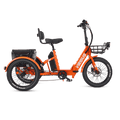


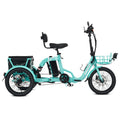











Specs say one thing, the road says another. Use these 10 checks—5 before buying, 5 after delivery—to know what's normal and what needs support.
Every electric tricycle comes with a spec sheet. Top speed, range, payload, PAS levels, brake type. Those numbers are real, but they are measured under specific conditions: a rider of a certain weight, on a certain surface, at a certain temperature, with a certain PAS setting. Your ride will not match every number exactly—and that is normal.

The problem is that most buyers have no framework for telling the difference between normal variation and something that actually needs support. So they either accept a real issue as "just how it is," or they panic over a difference that is well within the expected range.
This guide gives you that framework. Five checks you can do before you buy. Five checks you should do in the first 30 days after delivery. And a simple way to read the results: what is normal, what is a spec-and-configuration difference, and what is worth contacting support about.
No brand-bashing. No "best tricycle" list. Just the checks themselves.
Why Specs and Reality Diverge
Three things create the gap between the spec sheet and your ride:
Test conditions vs. your conditions
Range is typically measured on a flat surface, with a rider near the middle of the weight range, in moderate temperature, at a mid-level PAS setting. Add hills, cold weather, a heavier rider, or a higher PAS level, and range drops. That is physics, not a fault.
Configuration-dependent ratings
A payload figure on a product page often reflects the frame's design limit. The figure in the manual may reflect the safe recommended load with the factory-installed tires, rack, and seat. When those two numbers differ, the manual figure for your actual configuration is the one to plan around.
Cadence-based PAS behavior
Most adult electric tricycles in this price range use a cadence sensor, not a torque sensor. A cadence sensor detects that you are pedaling, then the controller decides how much power to add. At higher PAS levels, the controller is allowed to add more power—and the transition when you stop pedaling can feel different from lower levels. For a full breakdown, see how cadence-based PAS works.
Before You Buy: 5 Checks

Do these at a dealer, at a demo, or in the first conversation with a seller. They take about 20 minutes total and will tell you more than any spec sheet.
Measure Real Top Speed with GPS, Not the Display
Take the trike to a flat, safe stretch. Set PAS to the highest level. Ride at full assist and record your speed with a phone GPS app, not the onboard display. Compare that number to the advertised top speed.
A small difference is normal—wind, rider weight, tire pressure, and surface all matter. A large, consistent gap (for example, advertised 20 mph, GPS showing 15–16 mph on flat ground at full assist) is worth asking about directly before you buy. Ask the seller: "Is this the speed this unit should reach on flat ground at full PAS?" Their answer tells you a lot.
Compare the Product-Page Payload to the Manual Payload
Ask to see the manual—not the product page, the manual. Find the payload or maximum load figure. Compare it to the number on the website.
If they differ, ask which figure applies to the unit as configured: with the standard tires, the installed rack, the seat as shipped. The answer you want is specific: "With this rack and these tires, the safe recommended load is X." A vague answer ("it can handle a lot") is a signal to dig further. For a broader look at how adult tricycles are rated, see our collection page.
Test Brake Cutoff with the Motor On
Turn the trike on but do not ride it. Squeeze the brake lever firmly. While holding the brake, turn the pedals by hand. The motor should not engage at all.
Release the brake, turn the pedals again. The motor should engage normally.
If the motor responds while the brake is fully squeezed, the brake cutoff switch is not doing its job. On any electric trike, brake cutoff is a safety function, not a convenience feature. Do not skip this check. If you are unsure how your model should behave, our brake cutoff and PAS checks guide walks through the expected behavior.

Do a Slow, Tight Turn and Feel Where the Tilt Begins
Find a clear space. Ride at walking pace—under 5 mph—and make a small-radius turn. Pay attention to when the trike starts to feel like it wants to lean outward.
Every three-wheeled vehicle has a speed and radius at which the inside wheel starts to lift. Wider track and lower center of gravity push that point higher. Narrower track and higher seat push it lower. You are not looking for "no tilt"—you are looking for whether the tilt begins at a speed you are comfortable managing. If it starts earlier than you expected, that is useful information before you buy, not after.
Check the Battery Mount and All Pre-Installed Hardware
With the trike stationary, grip the battery and try to rock it gently side to side and front to back. It should feel solid, with no audible rattle and no visible movement in the mount or lock.
Then check the bolts you can reach: handlebar clamp, seat post clamp, and—if visible—the front brake caliper mounting bolts. They should be snug. You are not torque-wrenching them in a showroom; you are checking for obvious looseness that suggests the pre-delivery inspection was rushed.
If the battery rocks or a major bolt is visibly loose on a new unit, ask for it to be corrected before you take delivery.
After Delivery: 5 Checks in the First 30 Days

These calibrate your expectations against your actual unit. Do them on a route you know, in conditions you will actually ride in.
Measure Real Range on a Full Charge
Charge to 100%. Pick a flat route with no strong wind, set PAS to a mid-level (level 2 or 3 on a 5-level system), and ride until the battery indicator shows a consistent low state—not the first bar drop, but a sustained low reading. Record the distance.
Compare that to the advertised range. A 15–25% difference is common and expected. A difference larger than that, on a flat route at mid-PAS, is worth noting—and worth repeating once to confirm it was not a one-off (cold weather, low tire pressure, or a stiff headwind can all skew a single test).
Test PAS Exit Behavior at Levels 1, 3, and 5
On a flat, empty stretch, ride at each PAS level and note what happens when you stop pedaling.
At level 1, power should drop off quickly. At level 3, you may notice a brief continued push. At level 5, the transition may be more noticeable. This is the cadence-sensor behavior described earlier—it is a calibration characteristic, not a failure.
What you are looking for is consistency: does level 3 behave the same way every time, or does it sometimes cut off instantly and sometimes keep pushing for several seconds? Consistent behavior at higher PAS levels is normal for cadence systems. Erratic behavior—different every time, or happening at level 1—is worth documenting and asking about.
Test Brake-to-Motor Re-engagement Five Times in a Row
Ride at a moderate PAS level. Brake to a stop. Release the brake and pedal again. Note how long it takes for the motor to re-engage.
Repeat this five times. A brief, consistent delay (around one second) is normal controller behavior. A delay that grows longer across the five repetitions, or one that feels unpredictable, is worth recording: note the PAS level, the approximate delay in seconds, and whether it changed between attempts.
Ride at 80% of the Manual's Payload Figure
Load the trike to roughly 80% of the payload figure in your manual—using cargo, not a person, for safety. Ride a short route that includes a gentle climb and a turn.
Listen for: frame creaks, seat post slippage, rack movement, tire sidewall flex that looks excessive. Feel for: the seat tilting, the handlebar twisting under load, the rear rack flexing more than expected.
Some flex is normal. A creak that appears only under load, or a seat post that slips down over a short ride, is worth checking the torque on the relevant bolts—and if it persists, contacting support with the specific location and conditions.
Torque-Check the Pre-Assembled Bolts Against the Manual
This is the one check most owners skip, and it is the one that matters most for safety and for separating "assembly issue" from "component issue."
Get a torque wrench—even a basic beam-type wrench is fine. Check the bolts listed in your manual's assembly section: front brake caliper, handlebar stem, seat post clamp, pedal threads, and wheel axle nuts if accessible. Compare each to the torque value in the manual.
If a bolt is significantly under torque, tighten it to spec and re-check after your next ride. If it works loose again, that is a specific, documentable issue—not a vague "the bike feels off." Support teams can act on "the front caliper bolt loosened to finger-tight after 10 miles at the specified torque" much faster than on "the brakes feel weird."
How to Read Your Results
You now have ten data points. Here is how to sort them.
| Category | Common Examples | What to Do |
|---|---|---|
| Normal Variation | Range 15–25% below advertised; top speed 2–3 mph below spec; brief, consistent motor re-engagement delay; noticeable PAS push at level 5 but not level 1; some frame flex under load. | Normal physical behavior. No action needed. |
| Configuration Difference | Manual payload lower than product-page payload (explained by installed rack, tires, or seat); range affected by cold weather, hills, or rider weight above the test range. | Plan around the manual figure for your actual configuration and riding conditions. |
| Contact Support | Brake cutoff not engaging with the lever fully squeezed; a bolt that loosens repeatedly at the specified torque; battery mount movement that persists after the lock is checked; PAS behavior that is erratic at low levels or changes between identical tests; a range gap larger than 30% on a flat route at mid-PAS, confirmed across two tests. | Record the data and contact support. Give them model, PAS level, measured speed or range, the specific bolt and torque value, and the number of repetitions. |
When you contact support, give them the data you collected: model, PAS level, measured speed or range, the specific bolt and torque value, the number of repetitions. That turns a subjective complaint into a diagnostic request—and it is far more likely to get a specific answer.
Frequently Asked Questions
How do I test the real top speed of an electric tricycle?
Take the trike to a flat, safe stretch and set PAS to the highest level. Ride at full assist and record your speed with a phone GPS app, not the onboard display. Compare that number to the advertised top speed. A small difference is normal; a large, consistent gap on flat ground at full assist is worth asking the seller about before you buy.
Why is my electric tricycle slower than advertised?
Wind, rider weight, tire pressure, surface, and PAS level all affect speed. A 2–3 mph gap is normal variation. A large, consistent gap on flat ground at full PAS is worth asking about directly, because it may indicate a configuration or controller difference rather than a normal test-condition gap.
What should I check after assembling an electric tricycle?
Torque-check the pre-assembled bolts against the manual, especially the front brake caliper, handlebar stem, seat post clamp, and pedal threads. Compare each to the torque value in your manual. If a bolt works loose again after being tightened to spec, that is a specific, documentable issue worth contacting support about.
The Point of All This
An electric tricycle is a mechanical system with tolerances, and every tolerance has a range. The spec sheet gives you the target. These ten checks tell you where your specific unit lands within that range—and whether it lands somewhere that needs attention.
If you are still comparing models, start with the five pre-purchase checks. They will tell you more about a trike than any list of features. If you have already taken delivery, run the five post-delivery checks in your first month, while support and warranty options are at their most flexible.
And if a check comes back outside the normal range, contact support with the data. That is what the checks are for.
Next Step
Still comparing models?
Start with the adult tricycle collection, or go straight to the TG1, FC2, or ST1.
Browse Adult Tricycles →













Leave a comment
All comments are moderated before being published.
This site is protected by hCaptcha and the hCaptcha Privacy Policy and Terms of Service apply.